Koha ISO18626 ILL Standard
This article discusses the Koha implementation of ISO 18626, an international standard designed specifically for Interlibrary Loan (ILL) transactions. It was introduced to Koha in version 26.05 by Bug 37762 - expand ILL to allow for supplying agency/lending workflow.
Administrative Set Up
System Preferences
Enable system preferences for ILLModule CirculateILL ILLModuleUnmediated ILLPartnerCode 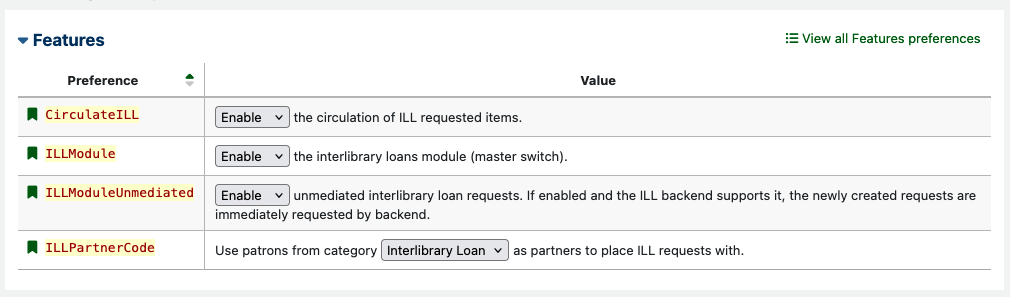
Install plugin
Next you will want to install and configure the plugin . The plugin is available on Open Fifth's GitHub repository. Once installed you will need to configure the plugin and include the following information after selecting +Add supplying Agency
Name: Library
ISO18626 endpoint URL: (your opac url followed by) /api/v1/public/ill/iso18626
Account ID: made when you when you make API credentials
Security code: made when you when you make API credentials
API username: login for the account created in the staff interface
API password: password for account created in the staff interface
ILL Module Set up
Once you have your system preferences and plugins configured, navigate to the Interlibrary loans Module and under Lending select the Requesting Agencies. Click on the New requesting agency drop down.
Details
ILL partner: A patron of the type matching ILL partner code, this will be the account items are associated with for lending requests.
Name: name of library
Type: ISIL
Callback endpoint: (your opac url) followed by api/v1/contrib/iso18626/supplying_agency_message
ISO18626 authentication
Account ID: same as the info your entered above for the ISO plugin
Security code: same as the info your entered above for the ISO plugin
Koha ISO 18626 Standard